
API integration guide
Use the Textmagic API to integrate SMS and email into your website, application, CRM, or other business system. Your developers can send and manage messages, work with contacts, perform lookups, and access other Textmagic features directly through the REST API.
See the Textmagic API documentation for available endpoints, authentication details, code examples, and tools for building and testing your integration.
- Build messaging workflows with Textmagic Automations.
- Connect Textmagic with other apps using Zapier.
- Use native integrations with Shopify, WooCommerce, or HubSpot.
Resources for developers
The Textmagic API documentation provides the technical information your developers need to build an integration, including available endpoints, request parameters, authentication details, and code examples.
Ready-to-use request samples are available in multiple programming languages, including PHP, Java, JavaScript, Ruby, C#, VB.NET, Go, C++, Python, and Perl.
Developers can also use the Textmagic API Sandbox to test API requests directly in a browser before implementing them in an application.
A PHP SDK is also available to simplify integration with PHP applications.
Generate an API key
To connect your application to Textmagic, your developer will need API credentials for your Textmagic account.
- Log in to Textmagic or start a free trial.
- Go to API settings.
- Generate a new API key.
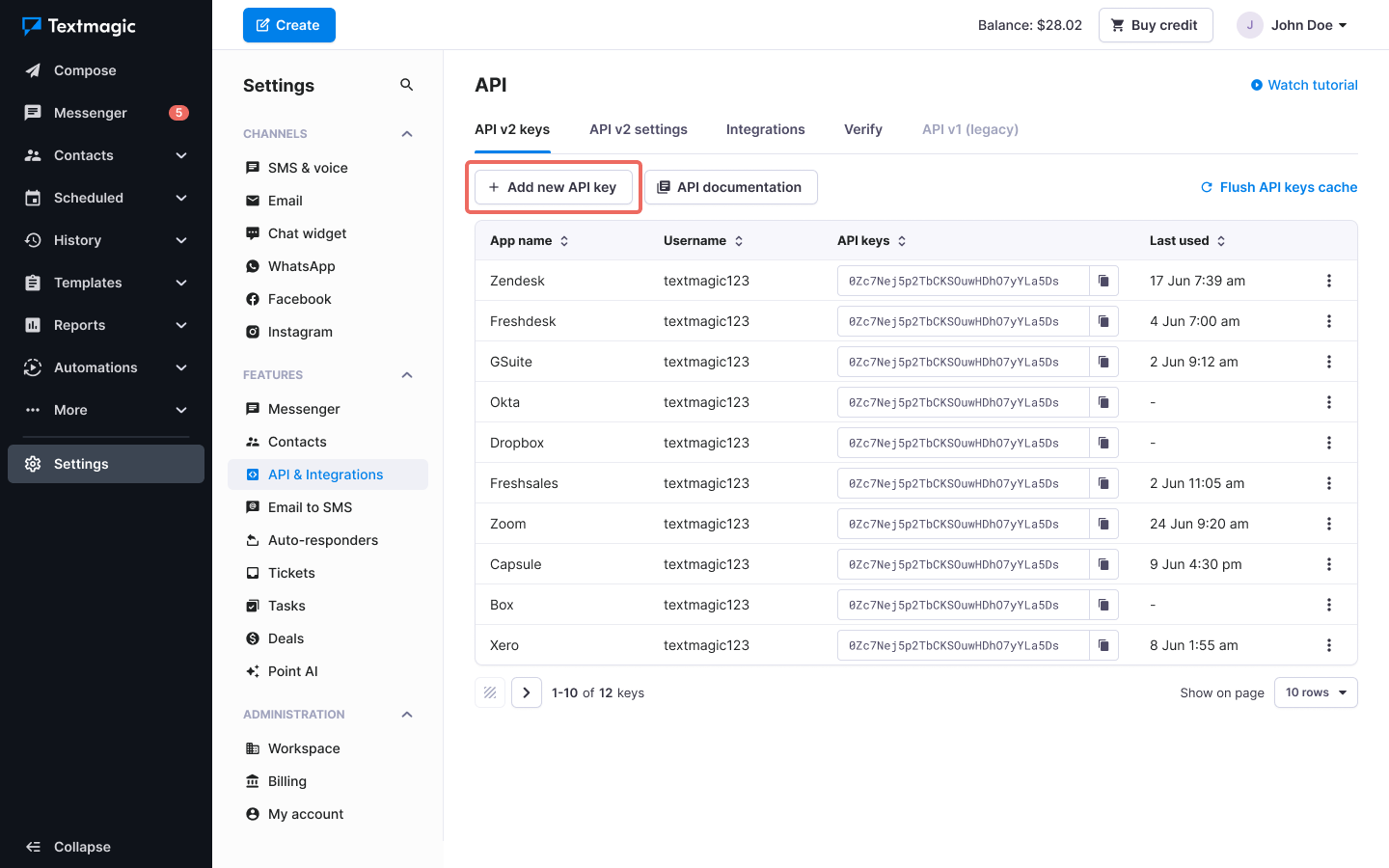
Once your API key is ready, use the API documentation to start building and testing your integration.