
Track and manage your deals
The Deals section in Textmagic helps you organize and track monetary transactions and pipelines, whether for sales, recruitment, procurement, or other processes. It provides pre-built pipelines for common workflows and the flexibility to create custom ones that suit your specific needs.
Key Features:
- Quick start: Pre-built pipelines let you get up and running in no time.
- Full flexibility: Adapt pipelines to suit your specific requirements.
- Centralized tracking: Easily monitor all your deals in one place.
The deals management service is completely free to use.
Setting up your deal pipeline
Setting up a pipeline helps you keep your deals and activities organized. After you create your pipeline, you can start adding deals with customer information and tasks that need to be done.
Create a pipeline
- Navigate to the Deals section.
- Click New pipeline.
- Select a new pipeline template.
- Enter a name and configure its settings.
- Click Create to finalize the board setup.
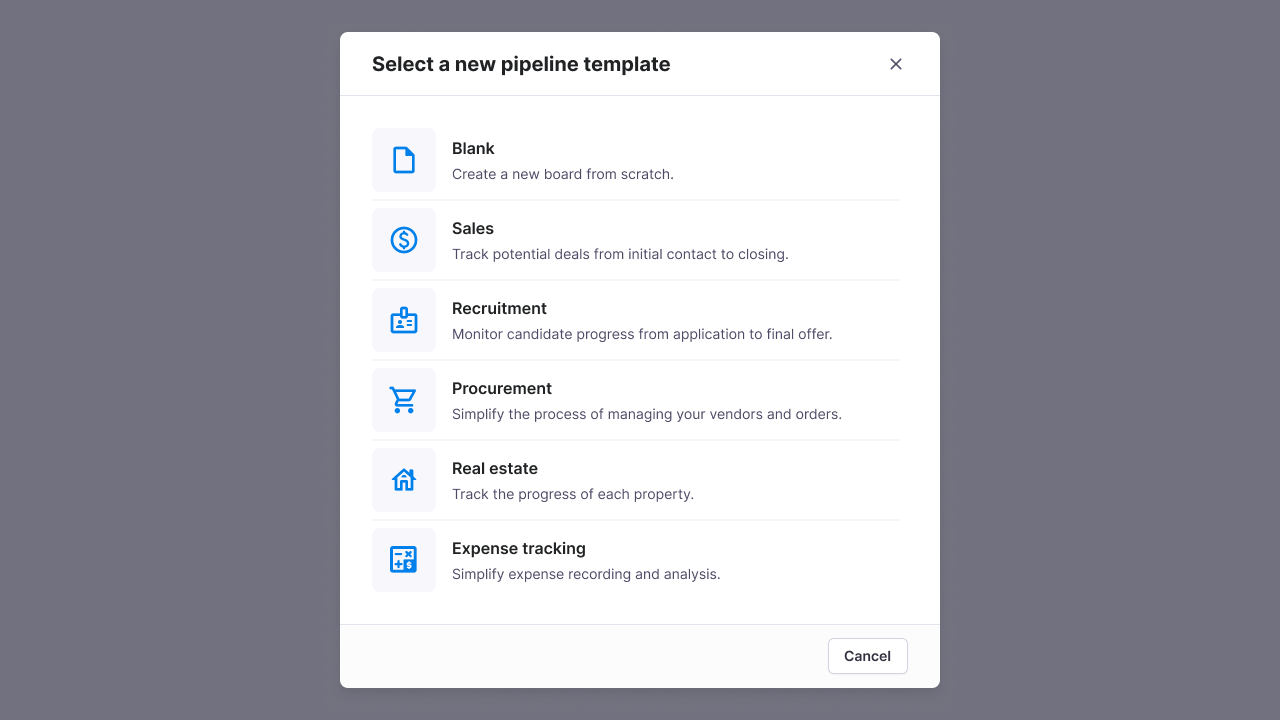
Once your pipeline is set up, you can:
- Add new deals: Click on “New deal” and fill in deal details such as name, value, customer, and stage.
- Move deals between stages: Drag and drop deals across different stages to reflect progress.
- Filter & search deals: Use the search bar and filters to locate specific deals.
- Assign deals to team members: Click on a deal, select Deal owner, and choose a team member.
- Update deal details: Edit deal information, add notes, or attach relevant files.
Managing your pipeline settings
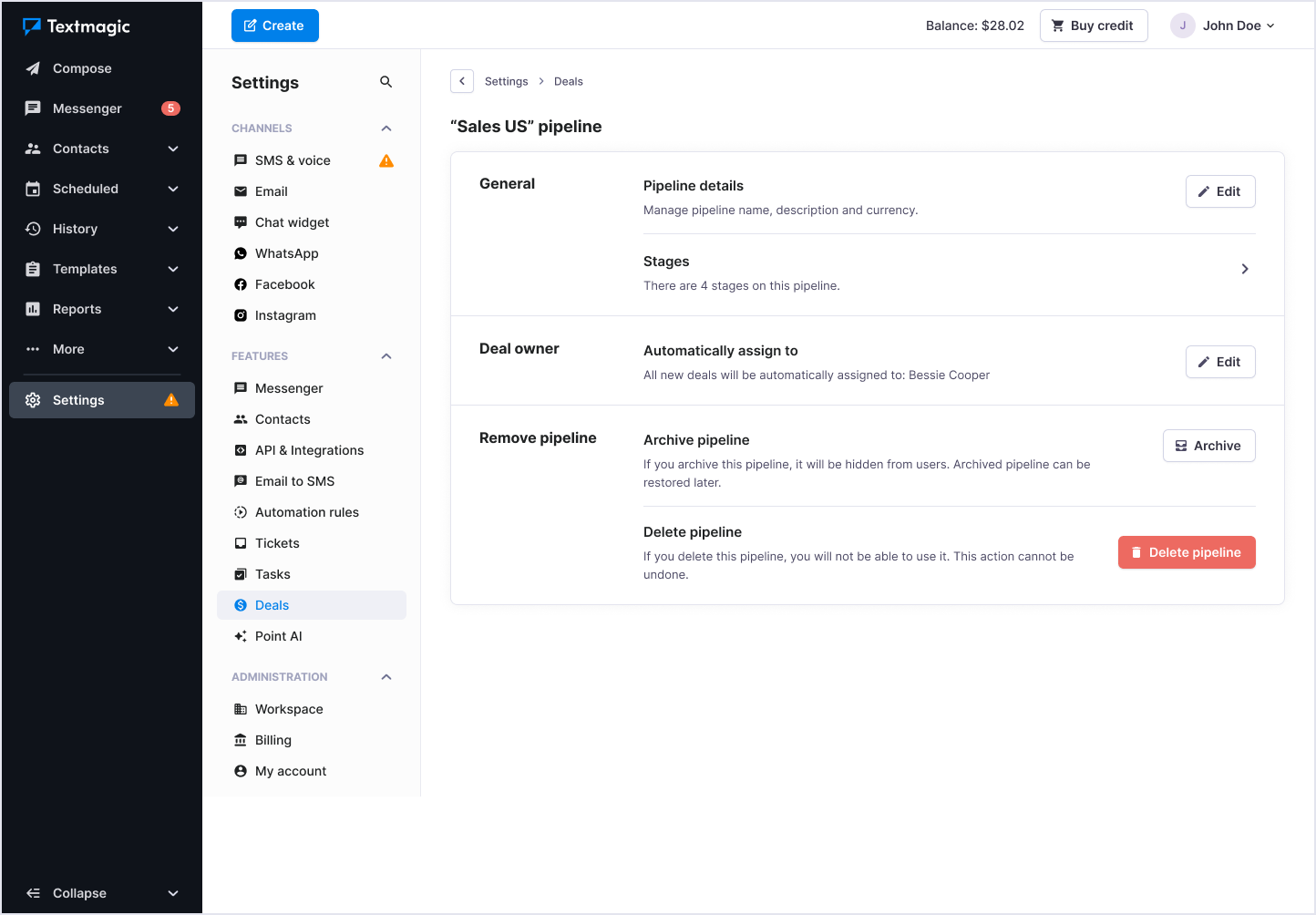
To access pipeline settings, click on the Settings icon in the top-right corner of your deal’s sidebar.
Customize your pipeline
- Change pipeline name & description: Update the board details as needed.
- Modify pipeline stages: Add, rename, or remove stages to match your sales process.
- Set automation rules: Configure automatic notifications and task assignments.
Archiving and deleting pipeline:
- Archive pipeline: If you archive this pipeline, it will be hidden from users. The archived pipeline can be restored later.
- Delete pipeline: Click Delete to remove the pipeline permanently (this action cannot be undone).
Why use Deals in Textmagic?
- Organization: Keep all your pipelines and deals in one place.
- Flexibility: Use pre-built pipelines or customize them to fit your specific processes.
- Efficiency: Optimize your workflows, save time, and focus on what matters most.
- Clarity: Gain a clear view of progress at every stage of your pipeline.